
Quickly Validate Whether a Project Idea Has a Market with a Simple Website
1. Start with the Website Logic
In 2026, entrepreneurs no longer treat a “complete product” as the inevitable first step. Instead, validating an idea often takes more time than writing code—you need to confirm that people are actually searching, clicking, and even leaving requests. A website that can be launched in minutes, automatically captures search traffic, and provides basic data is the best tool for this step. Its value lies in three points:
- Low cost – No backend server, database, or complex deployment process needed.
- Fast – From concept to public page, usually done within 10‑30 minutes.
- Data accessible – An AI‑driven SEO system pushes the page to search engines, bringing real visitors and search keywords that directly map to market demand.
If you treat these three points as the “validation entry,” the subsequent product iterations, fundraising, and team expansion will have a more reliable basis.
2. Compress Core Value Proposition, Target Users, and Solution into Three Lines
In a Minimum Viable Website (MVP), every section of the page should answer the same question: “Who do I help and with what?”
Below is a practical template that works for almost any SaaS, content platform, or small tool:
| Section | Key Points | Example (Assuming an AI Copywriting Assistant) |
|---|---|---|
| Title | Directly state the core value | “Get every article SEO‑ranked in 5 minutes” |
| Subtitle | Clarify target users | “Content creators, marketing teams, independent bloggers” |
| Key Features | Summarize the solution in 3‑4 short phrases | “Auto‑topic → Auto‑write → Auto‑publish → Auto‑optimize” |
| Call‑to‑Action | Prompt visitors to leave information immediately | “Free 7‑day trial, get your exclusive link now” |
Place this information in the above‑the‑fold area of the page, and pair it with a high‑contrast CTA button. This way, even if a visitor stays only 3‑5 seconds, they can capture your value proposition.
3. Build the Minimal Website with SEONIB
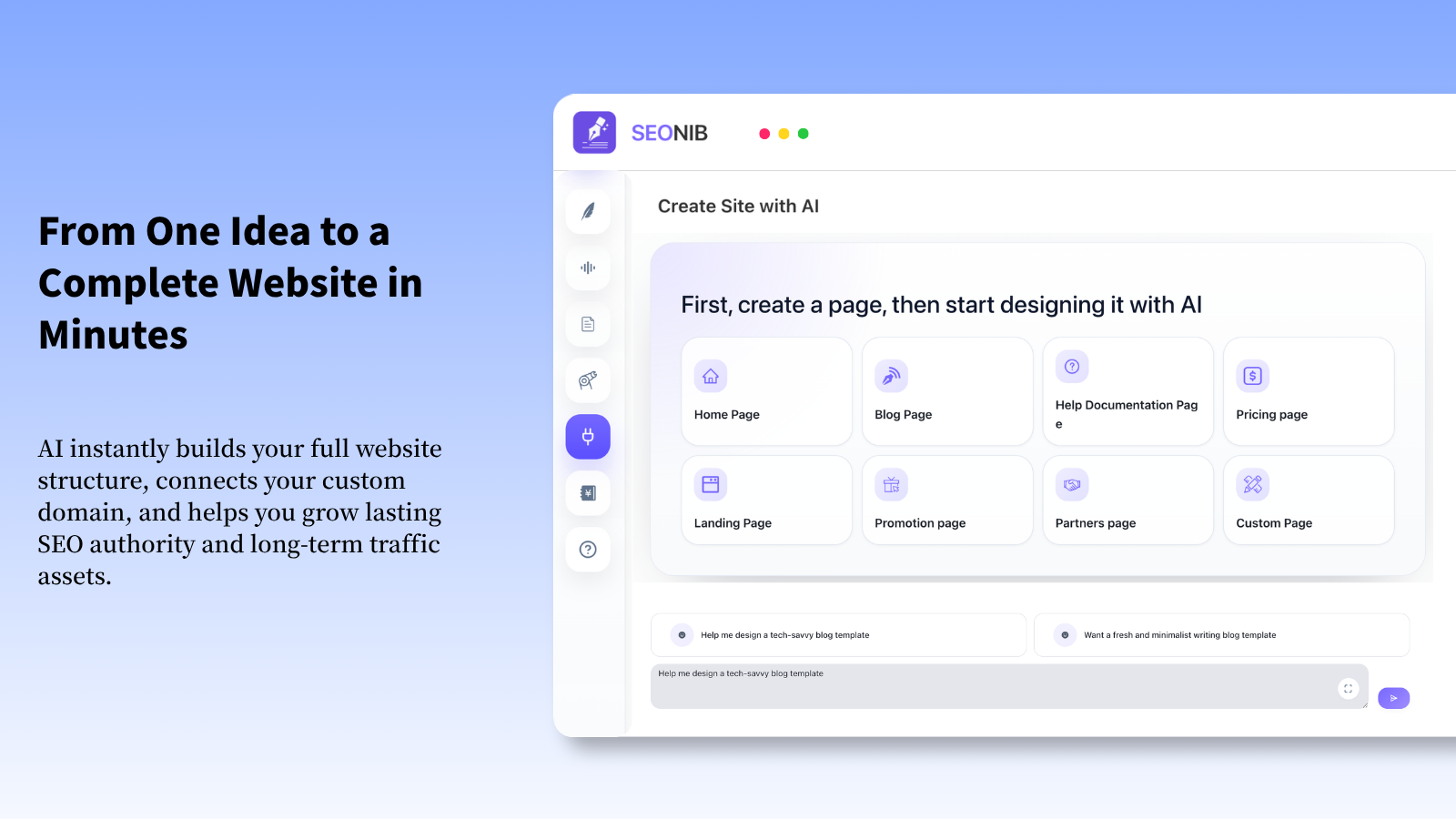
SEONIB is a full‑stack AI SEO platform that can generate, publish, and automatically optimize pages within minutes. The steps below are based on my actual experience and aim to stay “click‑and‑go.”
3.1 Register and Initialize
- Visit the SEONIB homepage and click “Start for free.”
- Log in quickly with email or Google; the system will automatically create a blank site.
- In the AI site builder, select the “Website” template, input requirements, and the AI will generate a website in 1 minute. The platform supports multiple adjustments until you’re satisfied.
Tip: The first time you log in, the system will ask for “industry keywords.” Even if you’re unsure, fill in a few common terms (e.g., “AI copywriting,” “content marketing”). The platform will automatically expand them in the background.
3.2 Choose Template and Layout
SEONIB offers over 10 preset layouts, segmented for different business scenarios. For idea validation, a single‑page landing page is the most hassle‑free:
- Hero section – Title, subtitle, CTA button.
- Value chain – 3‑4 icon + text blocks showcasing core features.
- User testimonials – If you have early users, paste short reviews directly.
Just type what you want in the input box, and the system will automatically generate the corresponding HTML and SEO structure. No coding required.
3.3 Fill in Core Content
In the left panel of the editor, you’ll see the “Content” area. Paste the three‑line copy from step 2 directly there, and the platform will:
- Automatically generate H1, H2, and paragraph tags.
- Match each paragraph with potential search keywords.
- Generate structured data (Schema.org) to help search engines quickly recognize the business type.
Pro tip: Include a region or niche in the title (e.g., “2026 SEO Solution for Chinese Content Creators”) to boost local search visibility.
3.4 Enable AI SEO Automation
After finishing the page, click “Publish.” SEONIB will:
- Automatically submit the page to Google, Bing, Baidu, and other search engine indexing APIs.
- Generate internal links to improve crawler efficiency.
The whole process requires almost no manual intervention.
4. Real‑Time Monitoring of Visit Data: From Traffic to Behavior
4.1 Key Metrics
| Metric | Meaning | Typical Threshold (Reference) |
|---|---|---|
| UV (Unique Visitors) | Number of distinct users who actually see the page | 100‑300 per week |
| PV (Page Views) | Number of times the page is opened | 150‑500 per week |
| Bounce Rate | Percentage who leave after only seeing the above‑screen | < 60% |
| Average Time on Page | How long readers stay on the page | > 45 seconds |
| Form Submission Rate | Ratio of visits that convert to potential leads | 2%‑5% |
If UV and PV rise together while bounce rate gradually falls, it indicates that your title and value chain are matching search demand.
5. Decision Framework for Whether to Continue Investing
5.1 Quantitative Thresholds
Convert the key metrics from step 4 into a “continue?” decision tree:
- UV ≥ 200 per week and Form Submission Rate ≥ 3% → Move to product prototype stage.
- UV < 100 per week and Bounce Rate > 70% → Re‑evaluate value proposition or target audience.
- UV stable but growing slowly → Consider increasing content output or running small‑budget ads for validation.
5.2 Quality vs. Quantity Trade‑off
Sometimes you have high traffic but low conversion, indicating broad demand but unclear pain points. In that case:
- Conduct interviews or surveys to dig deeper into user pain points.
- Add case demos on the page so visitors can see the value more concretely.
Conversely, high conversion but low traffic means precise targeting but insufficient exposure; consider modest investments in SEO promotion or social media ads.
7. Common Pitfalls and Lessons Learned
| Pitfall | Symptom | Solution |
|---|---|---|
| Only a title | Visitors click and leave immediately | Add 2‑3 lines of value explanation and visual icons in the above‑the‑fold area |
| Over‑decorating | Slow page load, SEO hurt | Keep it simple; use SEONIB’s automatically compressed images |
| Relying entirely on AI generation | Content lacks real cases | Manually add 1‑2 authentic user testimonials or case studies |
| Ignoring mobile | Most visitors come from phones, bounce rate high | Switch to mobile preview in the editor and ensure CTA buttons are large enough |
8. Summary: From “Validation” to “Iteration”
- Rapid site building: SEONIB lets you have an SEO‑optimized public page in 15 minutes.
- Data‑driven: Through visit metrics and keyword heatmaps, you can objectively assess market demand.
- Iterative decision: Using quantitative thresholds and competitive intelligence, decide whether to keep investing, tweak direction, or abandon.
In practice, I’ve found the “validate first, then invest” cost ratio to be roughly 1:10—spending a few hundred dollars and a few hours can avoid later tens or hundreds of thousands of development costs. Treat the validation process as a small experiment, keep data transparent, decide quickly, and your project can hold its ground in the fiercely competitive 2026 market.
FAQ
Q1: If the page gets no visits within a week, does that mean the idea is bad?
A1: Not necessarily. First check whether SEO settings are effective, whether a sitemap was submitted, and whether the page is indexed by search engines. If those are fine, consider running a small amount of ads on social media or industry forums to generate initial traffic.
Q2: Can I skip SEONIB’s AI content generation and write copy manually?
A2: Yes. SEONIB lets you edit each module’s text manually, as long as you keep the title, meta description, and structured data SEO‑compliant. Manual content can boost credibility but you’ll lose the convenience of automatic keyword matching.
Q3: How long does it take for SEO data to show up?
A3: Search engines typically crawl a new page within 24‑48 hours; noticeable changes in keyword rankings may require 1‑2 weeks of accumulated traffic.
Q4: Do I need to purchase a paid plan during the validation stage?
A4: The free plan is sufficient for a single‑page site and basic SEO. Upgrade to a paid plan only if you need bulk content generation, daily automatic publishing, or higher traffic limits.